
6 Phone Tree Tools That Require No Technical Skills
A phone tree can save hours of manual calling, but small businesses should not need a developer just to send an announcement, route a caller, or collect a simple response. Today, several platforms make automated calling accessible through dashboards, visual builders, contact uploads, and recorded messages rather than traditional programming.
The right choice depends on how much flexibility your business actually needs. Some tools concentrate on getting a message to a group as quickly as possible, while others provide more elaborate call routing and communications workflows. Here are six phone tree tools worth considering for teams that want to keep the technical work to a minimum.
1. DialMyCalls
DialMyCalls is the strongest starting point for businesses that want a phone tree without turning setup into a technical project. The platform is designed around straightforward mass communication, allowing users to send automated calls or text messages to an entire contact list without building a custom telephone system. Its phone tree capabilities are particularly well suited to businesses, schools, churches, property managers, community groups, and other organisations that need to reach many people quickly.
Quick Self-Service Setup
The basic process is intentionally simple. Users can upload their contacts, prepare a recorded message, choose the relevant calling options, and launch the broadcast from the dashboard. DialMyCalls describes its service as a way to have a phone tree ready within about an hour, with pay-as-you-go availability for organisations that do not necessarily want another large monthly software commitment.
That simplicity does not mean the system is limited to playing a recording. Businesses can add interactive elements when needed. For example, DialMyCalls offers a Press-1 style transfer feature that lets recipients press a key during a broadcast and connect directly with a designated representative or phone number. This makes a campaign useful for announcements that may generate immediate questions or responses.
A Practical Fit for Everyday Phone Trees
DialMyCalls also supports common phone tree use cases such as group calling, live transfer options, and simple polling without requiring users to construct the underlying communications infrastructure themselves. For a small business that mainly wants to upload a list, communicate with everyone on it, and add basic interaction when necessary, the platform keeps the process focused on the message rather than the technology behind it.
2. CallingPost
CallingPost takes a similarly approachable route to group communication. Its automated calling service is designed around choosing a group, recording a message, and delivering that recording to recipients' phones. Calls can reach either a live answer or voicemail, making the platform suitable for organisations that need to distribute updates without manually working through a calling list.
A Straightforward Group Messaging Workflow
Creating a campaign follows a familiar sequence. CallingPost allows users to create a message, build a contact group by importing a spreadsheet, selecting phone contacts, or entering information manually, and then preview the communication before sending it. That process avoids the visual logic maps and programming concepts found in more customisable communications platforms.
The service also extends beyond one-way announcements. CallingPost offers a live answer transfer option that can let a recipient press 0 to connect for additional assistance or next steps. Businesses can therefore use the same basic group calling workflow for notices that may require some recipients to speak with a person immediately.
Useful for Recurring Group Communication
CallingPost is particularly easy to understand when communication revolves around established groups. Small businesses can use it alongside its text and email capabilities to keep employees, customers, members, or other groups informed. Its emphasis on recording once and distributing the message broadly makes it a natural option for teams that value straightforward group messaging.
3. RingCentral
RingCentral approaches phone trees from the perspective of a broader business communications system. Its multi-level auto-attendant and IVR tools can route incoming callers through structured menus, helping them reach departments, individual extensions, voicemail boxes, or external numbers according to the selections they make.
Visual Call Routing
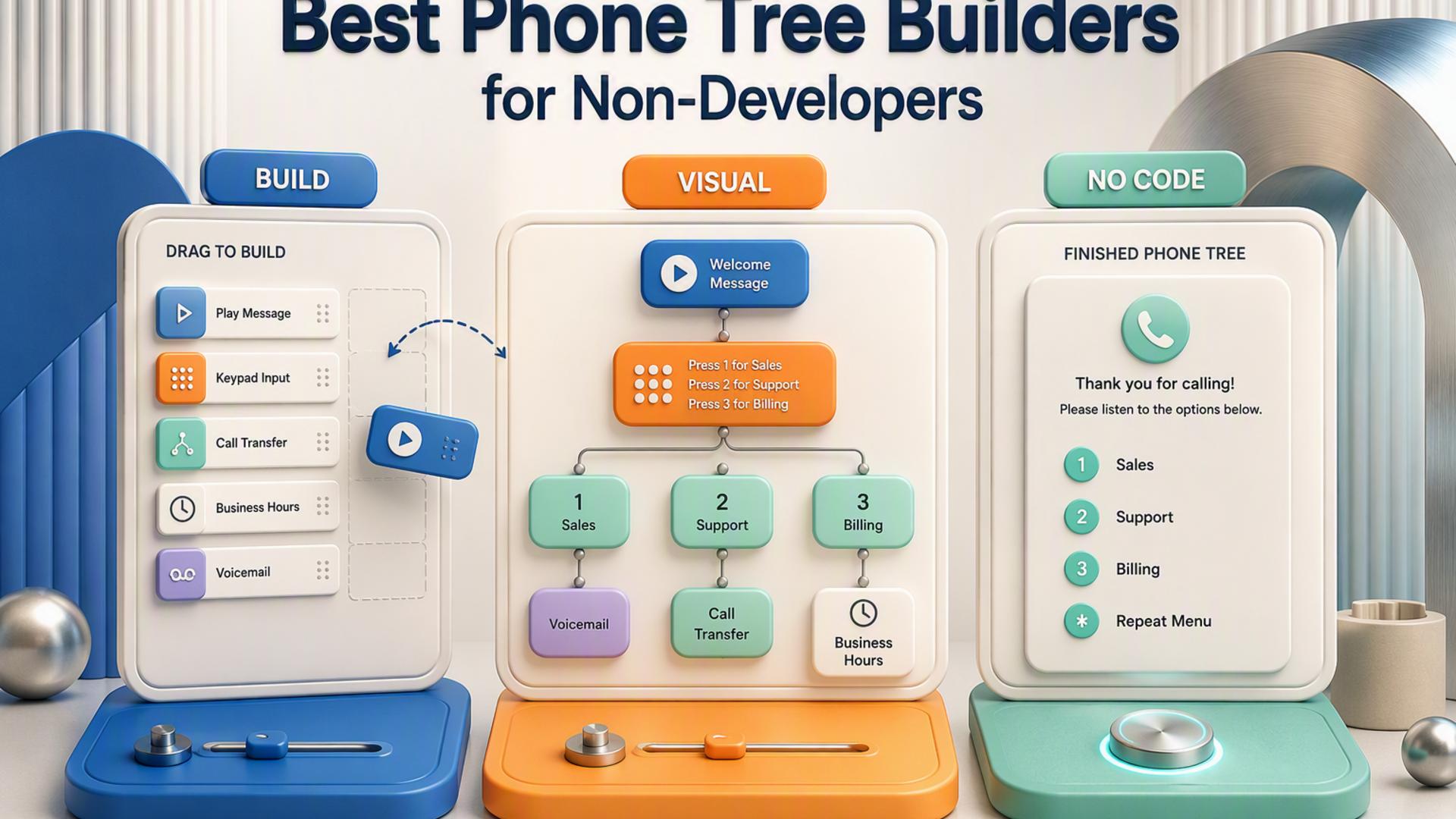
Rather than requiring administrators to program the routing logic manually, RingCentral provides a graphical IVR editor. Businesses can use the editor to organise touch-tone selections and build multiple menu levels, which can be valuable when callers need more than a basic "press 1 or press 2" choice.
This makes RingCentral a good match for companies whose idea of a phone tree centres primarily on managing incoming calls. A business with several departments, locations, queues, or extensions can create structured paths that help callers reach the appropriate destination without relying on a receptionist for every initial interaction.
Best Suited to a Broader Phone System
RingCentral becomes especially relevant when the phone tree is one part of a larger business calling environment. Its IVR tools sit within a broader communications platform rather than functioning solely as a simple mass notification service. For organisations already looking for business telephony and sophisticated incoming call routing, having phone tree functionality within the same ecosystem can simplify administration.
4. CallFire
CallFire provides another accessible route into automated calling, with tools for both voice broadcasting and interactive voice response. Its Voice Broadcast product lets a business choose contacts, record a message, and schedule delivery, while its IVR functionality adds keypress interactions and routing when a more interactive phone tree is required.
Build Interactive Calls Visually
For businesses that want something beyond a straightforward announcement, CallFire's IVR system uses a drag-and-drop interface to create call interactions. It can support inbound or outbound phone flows, including surveys, polls, appointment reminders, and auto-attendant routing. Recipients can respond through keypress options, giving the business a way to collect information as part of the call.
Its separate Voice Broadcast workflow is simpler still. Users can prepare their contacts, record the message, and schedule a campaign without constructing a complete IVR flow. That distinction gives teams a choice between a basic broadcast and a more interactive calling experience depending on the purpose of each campaign.
Flexible for Different Calling Scenarios
CallFire therefore sits comfortably between simple broadcast platforms and more custom communications environments. A small business can use the straightforward voice broadcasting tools for routine notifications and move into visual IVR functionality when it wants callers to make selections, complete a survey, or be routed elsewhere.
5. PhoneTree
PhoneTree is a long-established name in automated calling, with VoiceWave products built around creating call lists, sending recorded communications, tracking results, and collecting responses. Its support materials continue to document PhoneTree and VoiceWave tools for businesses and other organisations that use automated telephone communication.
Familiar List-Based Calling
The PhoneTree approach is organised around call lists and message jobs rather than requiring users to write software. Its knowledge base includes tools for managing call lists, reviewing previous message jobs, pausing calling during particular periods, and working with responses collected from recipients.
VoiceWave Premium also supports simple surveys using touch-tone replies. Recipients can respond by pressing keys on their telephone keypad, and PhoneTree records those responses so that administrators can review, sort, or report on the results afterward. This can be useful when a phone tree needs to do more than distribute information.
A Traditional Automated Calling Approach
PhoneTree will feel most familiar to organisations that prefer the traditional concept of automated group calling built around lists, recordings, call jobs, and recipient responses. Rather than approaching the task as application development, its workflow keeps the focus on managing communications through established PhoneTree and VoiceWave functions.
6. Twilio Studio
Twilio Studio brings no-code and low-code workflow building into the much broader Twilio communications platform. Its visual builder lets users create workflows by placing widgets on a canvas and connecting them to control what happens as an interaction progresses. Twilio specifically identifies phone trees and IVR systems among the applications that can be created with Studio.
Build Call Flows With Drag-and-Drop Tools
For a basic IVR, businesses do not necessarily have to write code. Studio provides visual widgets representing different communications operations, allowing users to connect actions and create a flow based on caller input. Twilio's documentation demonstrates how an IVR can be constructed through its drag-and-drop editor without programming the entire application from scratch.
The additional flexibility becomes useful when a company wants its phone tree to connect with a more extensive communications workflow. Studio can handle voice and messaging interactions, and users can introduce custom logic when standard visual components are no longer sufficient.
More Control for Workflow-Oriented Teams
Twilio Studio is therefore an appealing option for businesses that want no-code tools but expect their workflows to become more sophisticated over time. Its concepts of widgets, transitions, triggers, and connected flows require more familiarity than a basic upload-and-send service, but they also provide considerably more room for customisation. Teams comfortable learning a visual workflow environment can build capable phone tree experiences while keeping most routine configuration within Studio's graphical interface.
Choosing the Right Phone Tree Tool for Your Team
For most small businesses, the best phone tree is the one employees can actually configure and use without turning every change into an IT project. DialMyCalls stands out when simplicity, quick self-service setup, group calling, transfers, and straightforward interaction are the priorities. CallingPost offers another approachable group messaging model, while RingCentral and CallFire provide stronger visual routing options for organisations with more involved call flows. PhoneTree follows a traditional automated calling model, and Twilio Studio gives workflow-oriented teams greater room to customise. The right choice ultimately comes down to whether your business needs a practical phone tree that works out of the box or a broader communications environment that can support increasingly complex workflows.
Frequently Asked Questions
Is There a DIY Option for Building a Business Phone Tree Without Hiring a Developer?
Yes. Several platforms allow businesses to set up automated calling on a self-service basis without writing code or hiring outside technical help. A typical process involves creating an account, importing contacts, recording or entering a message, choosing a few calling options, and launching the campaign. This type of platform is particularly practical for organisations that need group announcements or occasional mass calling rather than a completely custom telephone application.
How Does No-Code Phone Tree Software Compare to a Developer Platform?
No-code software generally gives up some highly specialised customisation in exchange for faster, easier deployment. Developer-oriented communications platforms can support extremely customised workflows, while visual builders such as Twilio Studio introduce concepts including widgets, transitions, and custom logic for more advanced scenarios. DialMyCalls takes the more direct route for businesses that mainly need familiar tasks such as contacting a list, transferring interested recipients to a live person, or collecting straightforward responses. For a small business that wants its phone tree operational without becoming a communications development project, that simpler approach can make it the clearer fit.
Do You Need an IT Department to Set Up a Phone Tree System?
Not necessarily. Products such as DialMyCalls and CallingPost are organised around dashboards, contact groups, recordings, and guided campaign steps rather than traditional programming. Visual workflow platforms can also remove the need to write code for basic phone trees, although configuring more elaborate routing logic may be easier for someone who is comfortable working with flow builders and communications concepts.
What Is the Easiest Phone Tree Software to Set Up?
The easiest platforms tend to follow a short sequence: add your contacts, create or record the message, select how the call should behave, and send it. DialMyCalls is particularly strong in this respect, with the company describing a phone tree setup that can be completed within about an hour and offering pay-as-you-go use alongside its straightforward broadcast workflow. Platforms built around visual nodes, transitions, and more elaborate call logic can provide greater customisation, but a purpose-built group calling platform is generally easier when the main objective is simply getting a reliable phone tree running quickly.